
Safety and Compliance Tradition.
Modern Engineering.
Safety and compliance software tailored to the way your company works.
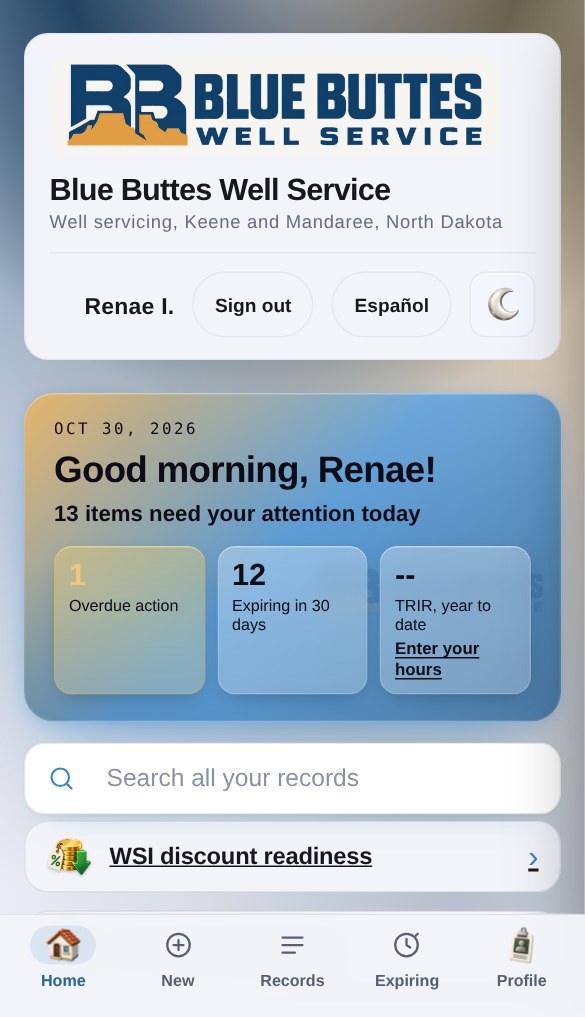
Everything you need, right on your phone.
The modules work together, so something entered once shows up everywhere it matters.*
The flow: one incident, from the first report to the fix
-
1
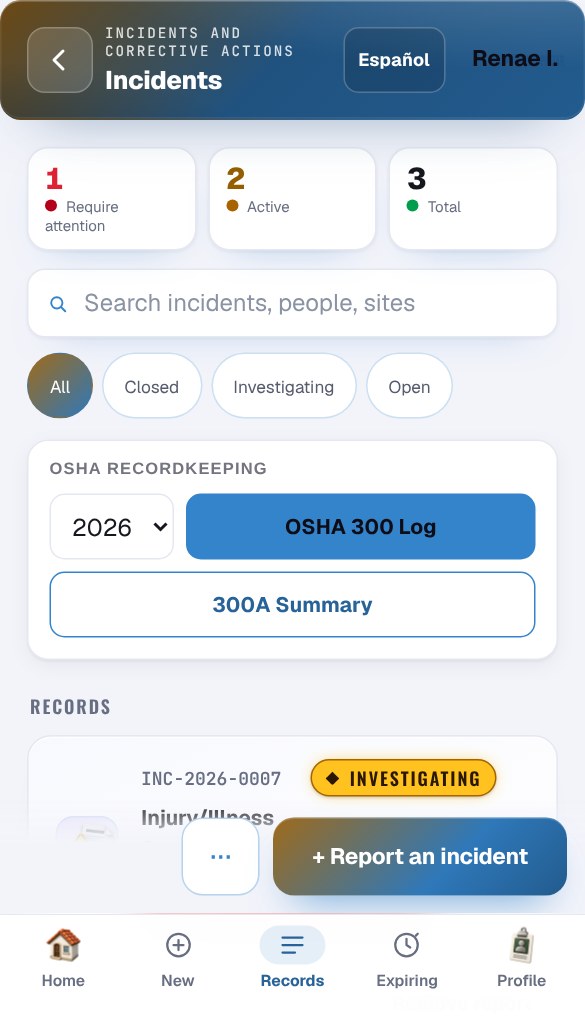
A field hand fills out an incident report from his phone
STAC analyzes the information on the report and determines whether the case goes on the OSHA 300 log, and at the same time fills in the 300 and 300A. The fix is set up as a corrective action, with the person responsible and the date it has to be done by.
-
2
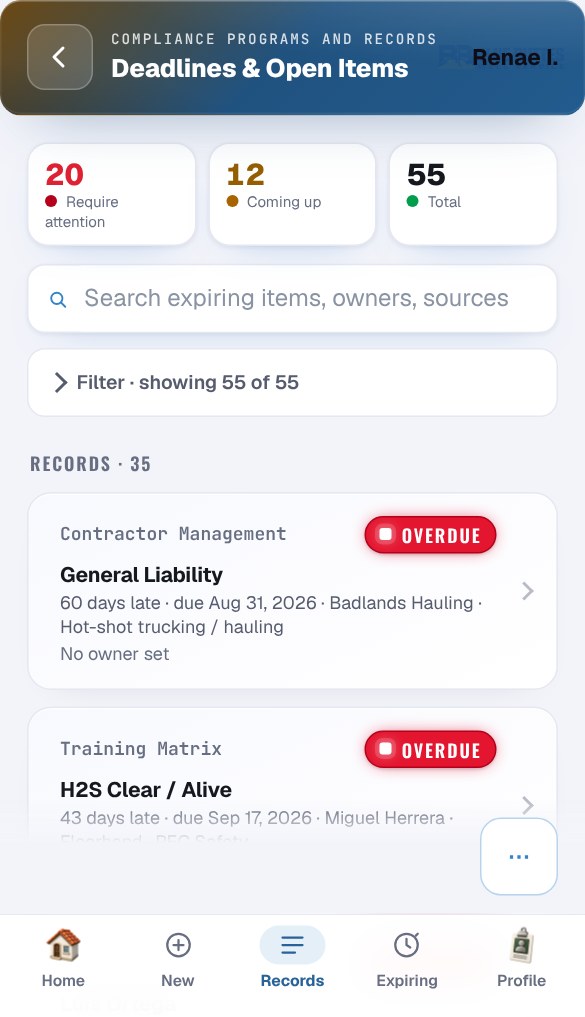
The fix stays in front of you
Deadlines & Open Items picks it up with every other upcoming deadline, and moves it to the top if it runs late, until it is closed.
-
3
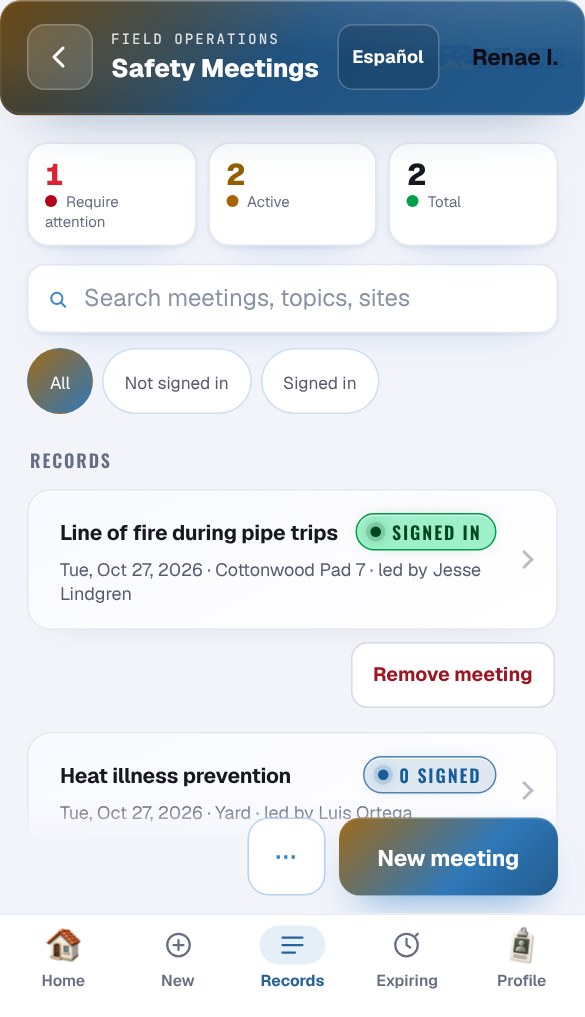
The crew hears about it
Make it the next toolbox talk. The crew signs in on their own phones, in English or Spanish.
* Shown with a sample company, Blue Buttes Well Service, and made-up records.
All 25, ready on day one.
Field work
- Incident & InjuryCrews report incidents from their phones. It helps determine whether a case is recordable and fills in the OSHA 300, 300A and 301 forms.
- JSA / JHA & Daily SafetyJob safety analyses that list the hazards, controls and risk score for each task, signed off by the crew.
- Inspections & AuditsSite inspections and audits that are scored as they are filled out.
- Work PermitsHot work, confined space, lockout and other permits. Each one is signed off, and it has to be approved again if the job changes.
- Daily Vehicle InspectionPre-trip and post-trip inspections. If an item fails, the unit is flagged before it goes out.
- Corrective ActionsFixes that come out of incidents and inspections. Each one is assigned to someone, has a due date and gets a photo when it is done.
- Safety Meetings & Toolbox TalksRecords of safety meetings and toolbox talks with a crew sign-in, plus a library of talks in English and Spanish.
- Equipment & PPE InspectionsScheduled equipment and PPE inspections. Repairs stay open until they are finished.
Programs and documents
- Chemical & SDSA list of the chemicals on each site, with the safety data sheet for each one.
- Environmental & SpillSpill and release reports, compared against the reportable quantities.
- Compliance & DocumentsRegistrations, filings and renewals, each tracked to its due date.
- Written ProgramsShows what each OSHA and DOT written program is required to cover and where your program covers it.
- Emergency Action PlansYour emergency action plan, checked against what OSHA requires it to cover.
- Safety LibraryPolicies, procedures and original files, kept in one place where they can be searched.
People and training
- Training RecordsCertifications, courses and quizzes for each worker. You get a warning before anything expires.
- Worker RosterThe crew list and sign-in PINs, compared against each worker's training.
Customers and prequalification
- Contractor ManagementSubcontractor paperwork and insurance, and whether each subcontractor is cleared to work.
- Prequalification ReadinessShows how ready you are for each hiring client's requirements and what is still missing.
- Deadlines & Open ItemsOne list of every certification, renewal, inspection, test and corrective action with a due date. Anything late is at the top.
- ISN StatisticsYour injury rates and three-year totals, ready to enter in ISNetworld.
- Insurance & CertificatesPolicies, limits and endorsements on file, with a reminder before each policy renews.
- Evidence ReadinessChecks whether the records in your other modules show that each program is actually being followed.
USDOT / FMCSA
- Driver Qualification FilesA file for each driver. Any driver who is not cleared to drive is flagged.
- Drug and Alcohol ProgramThe random testing pool, the selections drawn from it and the test results.
- Vehicle Maintenance FileService records, maintenance reminders and annual inspections for each unit.
A form gets filed. These keep working.
Most safety software gives you a digital copy of a paper form. You fill it in, it gets saved, and it's still on you to know what has to happen next. Each of these modules checks what was entered and keeps track of what comes after it.
-
It checks the rules for you
- Injuries: decides whether the case goes on the OSHA 300 log.
- Spills: checks the amount against what has to be reported.
- No looking it up: the rules are already built in.
-
It speaks up when something is wrong
- Vehicles: a failed inspection item flags the unit.
- Drivers: a gap in the file marks him as not allowed to drive.
- Subcontractors: shows whether each one is cleared to work.
-
It warns you before things run out
- Training and certifications: a warning before anything expires.
- Insurance and renewals: a reminder before each due date, with anything late at the top.
-
The proof is already there
- Records in one place: ready when a hiring client or auditor asks.
- Evidence Readiness: shows which programs are backed up by real records and which still need some.
Three plans. No long-term contract.
Field
$1,000 a month
Any eight of the 25 modules, your pick, and you can swap them any month. Includes the WSI readiness and audit pack.
Complete
$1,500 a month
All 25 modules, a check of your written safety programs against the rules that apply to your work, the OSHA 300, 300A and 301 forms, Excel exports, your prequal packet for ISNetworld and similar networks, and the drafting tools.
Premier
$2,500 a month
Everything in Complete, plus two custom forms built every month, one custom module every quarter, ongoing changes so it fits how you work, and a yearly two-hour audit-prep session.
Setup is paid once: $1,500 on Field, $2,500 on Complete or Premier. Prices cover up to 50 people on your roster. Business days are Monday through Friday, 8 a.m. to 6 p.m. Central.
Download the full pricing sheet (PDF)Born in the Bakken
I started in the Bakken in the winter of 2018 as a frac water heater operator, worked my way up to assistant heater manager, and later became the HSE manager. In that role I handled incident investigations, inspections, training records and regulatory compliance, along with our prequalification paperwork for the hiring clients we served and for networks like ISNetworld. Every one of those records lived somewhere different. Some were on paper, some were in spreadsheets, and each one was tracked its own way, so nothing lined up, which made it much harder to stay on top of all of it.
So I built a small app to make JSAs easier for our heater operators to fill out correctly every time, and easier for management to keep up with, since they were finally all in one place instead of blowing away in the North Dakota "breeze" or getting lost in somebody's pickup. It caught on with our heating crew faster than I expected, so I just kept building. I built one for hot work permits and emergency action plans, and later added shift change checklists and site audits. Over time those apps grew into one connected system that all worked together, and it became the foundation for what F&H STAC is today.
The progress in AI as a tool to drive change in old policies and increase efficiency and productivity in the workplace is what made F&H STAC possible. It has the tools I wish I'd had from day one as a safety professional. It takes a lot of the workload off the people doing safety work and keeps their records organized and audit ready, so when a hiring client or an auditor asks for something, it's already in one place. I wanted other companies and safety professionals to see that a company doesn't have to be big to have tools like these. F&H STAC offers enterprise-level performance with the personal touch of a small company.
I've worked in the Bakken for the better part of a decade, and I know how much is expected of the safety people in the field, and that's why I want to share F&H STAC with other safety professionals so they don't have to carry that load the way I did. And I hope by doing so, I can make their lives a little less stressful and help them build a strong safety culture where they work.
 Bryant Price
Founder, Epping, North Dakota
What owners usually ask.
- Who is F&H STAC for?
- Small oilfield and field-service companies, mostly in the Bakken, that have to keep up with OSHA and DOT paperwork without a big safety department. Plan prices cover up to 50 people on your roster.
- Does it work where there's no cell service?
- Yes. Your crew can fill out reports and inspections without signal, and everything catches up when the phone is back in service.
- Can my crew use it in Spanish?
- Yes. The app has a Spanish switch for the crew, and the toolbox talk library is in English and Spanish.
- Will it help with ISNetworld and similar networks?
- Yes. It works out your injury rates and three-year numbers from your own records, ready to enter, and shows what you're still missing for each hiring client (the oil companies you work for). On the Complete and Premier plans, we put together the prequal packet for you.
- Can it help with WSI's safety discounts?
- Yes. It keeps the records WSI's Safety Management Program and Safety Action Menu ask for, and shows what's missing. F&H STAC is not affiliated with or endorsed by North Dakota Workforce Safety & Insurance (WSI). WSI decides eligibility and discount amounts.
- Is there a long-term contract?
- No. Plans are month to month after a one-time setup fee. The setup cost for each plan is listed above.
- Do I have to re-enter all my old records?
- No. Rosters, training dates and other records can be brought in from the Excel or CSV files you already keep.
- Who will I be dealing with?
- Me. F&H STAC is a small company, so when you reach out, you're talking to the person who built it.